MAGNET lives on the cloud. You access MAGNET through a series of steps executed via your browser (e.g. Firefox, Chrome, Edge, Safari, etc.). First navigate to https://www.magnet4water.com/ or https://www. magnet4water.net (MAGNET’s host website), which is shown in Figure 1. The important information/links that allow you to interact with the GUI, and thus the model, reside in the ribbon at the top. It allows you to sign in or create an account. You need to create an account and sign in to run a MAGNET model so that your settings, files, etc. associated with the model can be saved and securely accessed via the MAGNET web server.
Figure 2 is a screenshot of the webpage once the cursor has hovered over 'SIGN UP' along the header bar at the top of the webpage. If you click the 'Create Account' option, it launches the menu shown in Figure 3. If you instead click Edit Account (for existing users), it launches a submenu for the user to enter their username and password. Then their Account page (essentially Figure 3) will open if they want to change their password, institution affiliation, etc.
If you are a new user and click the Create Account button you will need to fill out the form that is now provided (Figure 3). Note the Accept box and sign up tab at the bottom..
Now use the backup arrow in the upper left hand corner of the screen to return to the magnet4water home page (Figure 1). Hover the cursor over ‘Platform’ in the ribbon at the top and choose GO TO PLATFORM from the set of options. In the new web-page click on the Globe with ‘Google Map Based’ under it (see Figure 4). The resulting window is shown Figure 5.
This is where you want to be to begin building your model. You have completed steps 1 and 2 in the Magnet Quick Helper shown in Figure 5. You have a world map and will generally use this to provide the background map of the area you wish to model. However, we will see that it also has other uses.
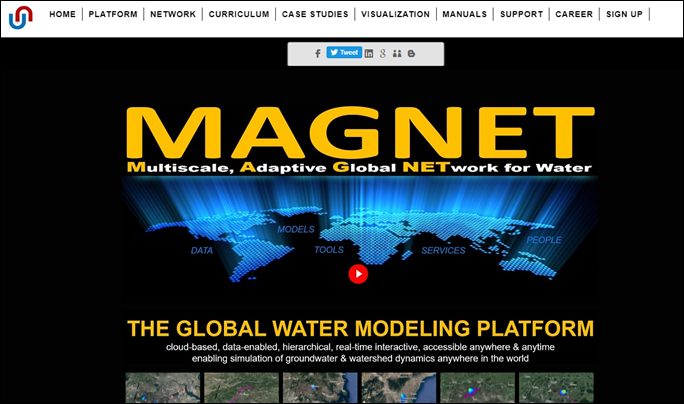
Figure 1: Initial window for entering MAGNET (magnet4water.com homepage).
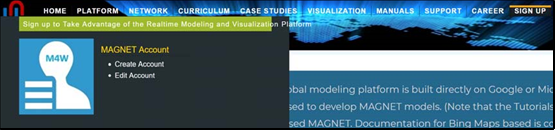
Figure 2: Accessing the link to create a MAGNET account.
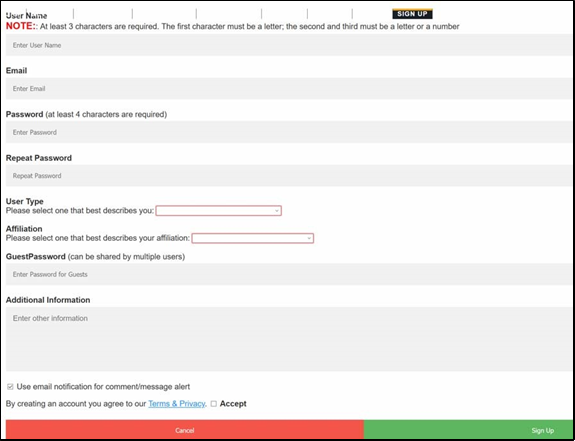
Figure 3: Registration form. If you would like to receive notices about updates to MAGNET and new features being added, please use your permanent email for sign-up.
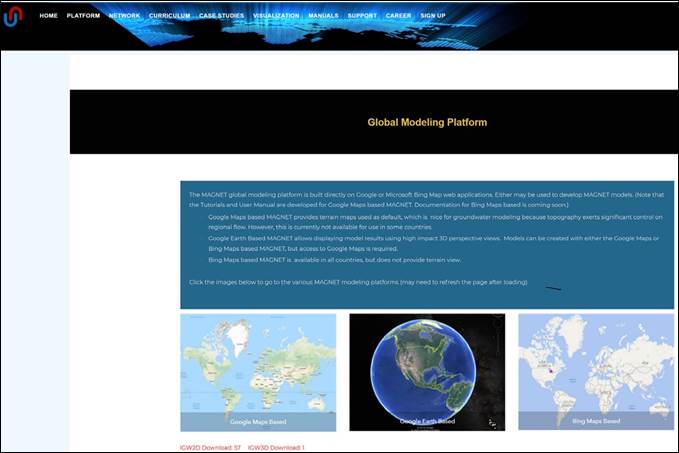
Figure 4: Platform sub-page for accessing the MAGNET modeling platform.
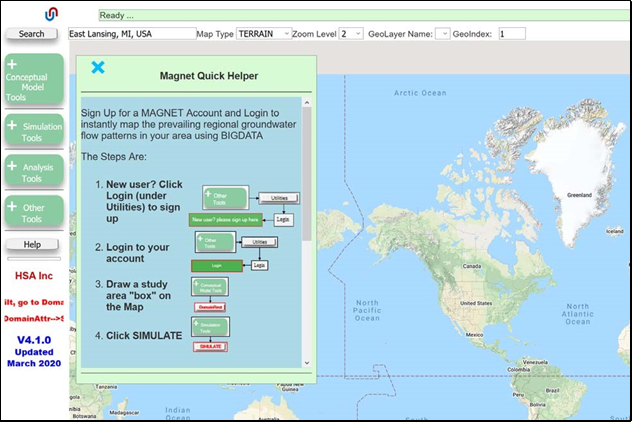
Figure 5: Introductory window for model creation.